
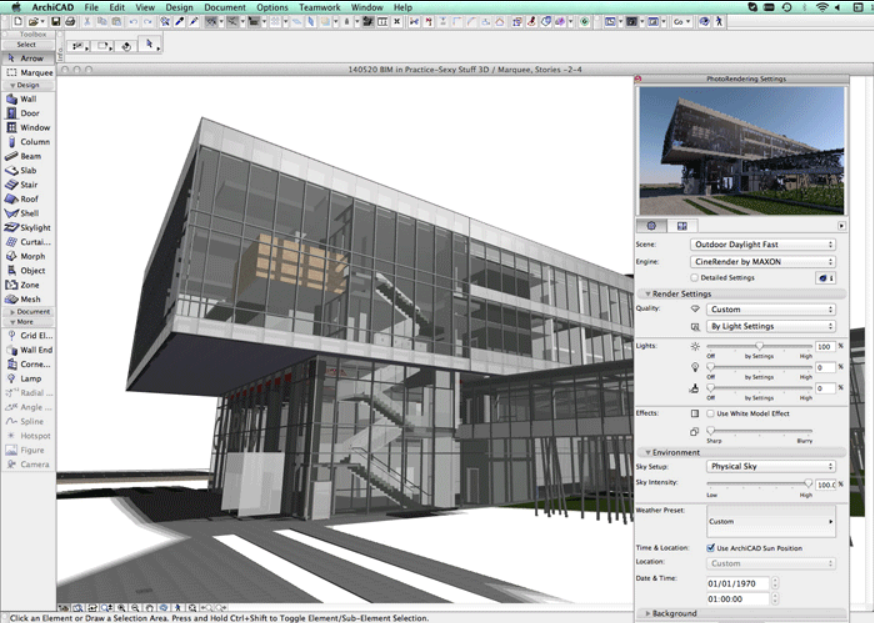
ArchiCAD Training Course, Port Harcourt, Rivers State
_______________________________________
COURSE OUTLINE
Level 1: Beginner – Foundations and 2D/3D Modeling Fundamentals
(Focus: Interface Mastery, Basic Drawing Tools, Simple 3D Model Creation)
Module 1: Getting Started with ArchiCAD & BIM
- 1.1. Introduction to BIM and Graphisoft ArchiCAD.
- 1.2. The ArchiCAD Interface (Toolbox, Info Box, Navigator, Quick Layers).
- 1.3. Template Management: Starting a new project (The Default Template).
- 1.4. Navigation in 2D (Pan, Zoom) and 3D (Orbit, Walk, Explore).
- 1.5. Essential Settings: Project Preferences, Working Units, and Story Settings.
Module 2: 2D Drafting and Organization
- 2.1. Basic Drafting Tools: Line, Arc, Circle, Polyline, Spline.
- 2.2. The Coordinate System and Input Methods (Tracker, Relative Coordinates).
- 2.3. Editing Tools (Move, Drag, Rotate, Mirror, Elevate, Multiply/Distribute).
- 2.4. Fill and Zone Tools: Creating areas and hatches/fills.
- 2.5. Text and Dimensioning Basics (Creating and modifying dimensions).
- 2.6. Layers: Introduction to the Layer System, Layer Combinations, and layer management.
Module 3: Core Building Elements (Basic Modeling)
- 3.1. Wall Tool Mastery: Structural settings, complex profiles introduction.
- 3.2. Slab Tool: Creating floors and ceilings.
- 3.3. Column and Beam Tools: Basic placement and geometric settings.
- 3.4. Door and Window Tools: Library object placement, settings, and opening adjustments. 3.5. Roof Tool: Simple roof modeling (Gable, Hip, Monopitch).
- 3.6. Modeling Aids: Magic Wand, Gravity, and Element Classification.
Module 4: Visualization and Documentation Basics
- 4.1. Basic 3D Viewing Techniques (Perspectives and Axonometries).
- 4.2. Section and Elevation Tools: Creating basic vertical views from the model.
- 4.3. Annotation in 2D and 3D views.
- 4.4. Introduction to Schedules and Listing (e.g., basic door/window lists).
- 4.5. Saving Views: Creating and organizing views in the View Map.
__________________________________________________
Level 2: Intermediate – Advanced Modeling and Documentation Workflow
(Focus: Detailed BIM Modeling, Custom Objects, Documentation Setup, Rendering)
__________________________________________________
Module 5: Advanced Element Modeling
- 5.1. Complex Profiles: Creating and managing custom profiles for walls, beams, and columns.
- 5.2. Shell and Morph Tools: Advanced modeling of complex and non-standard forms.
- 5.3. Stair and Railing Tools: Detailed design and customization using presets and patterns. 5.4. Curtain Wall Tool: Designing and detailing complex glazed façades.
- 5.5. Site Modeling: Terrain creation using Mesh, Contour Lines, and Site Objects.
Module 6: Library Parts and Object Creation (GDL Introduction)
- 6.1. Custom Object Creation: Using the “Save Selection as…” function.
- 6.2. Parameter Management: Understanding and modifying object parameters.
- 6.3. Introduction to GDL (Geometric Description Language) concepts and basic scripts (Optional).
- 6.4. Managing the Embedded Library and Linked Libraries.
Module 7: Advanced Documentation and Annotation
- 7.1. Graphic Overrides: Creating display rules for schematic, construction, and fire safety plans.
- 7.2. View Settings Deep Dive: Model View Options, Renovation Filter, and Pen Sets.
- 7.3. Detail Tool: Creating and linking detailed drawings and enlarged views.
- 7.4. Interactive Schedules: Advanced criteria, field customization, and calculations (Quantities/Takeoffs).
- 7.5. Property Management: Creating and assigning custom BIM data to elements.
Module 8: Rendering and Basic Visualization
- 8.1. CineRender Engine Basics (ArchiCAD’s built-in render engine).
- 8.2. Setting up Cameras and defining PhotoRendering Settings.
- 8.3. Lighting and Shadow settings (Sun, Lamps, Light Sources).
- 8.4. Material (Surface) Settings: Applying and customizing textures and finishes.
- 8.5. Exporting Images and Animations.
__________________________________________________
Level 3: Professional – BIM Management, Collaboration, and Project Delivery
(Focus: Teamwork, IFC, Publisher Sets, Quality Assurance, Advanced Templates)
__________________________________________________
Module 9: Project Management and Template Creation
- 9.1. Advanced Template Setup: Structuring a professional template for future projects.
- 9.2. Project Organization (File Naming Conventions, Folder Structure).
- 9.3. Master Layouts and Title Blocks: Creating custom sheet sizes and drawing information. 9.4. Publisher Sets: Defining output formats (PDF, DWG, DWF) and batch printing/publishing.
- 9.5. Revision Management: Using the Revision History and Change Tool for tracking modifications.
Module 10: BIM Collaboration and Interoperability
- 10.1. ArchiCAD Teamwork: Setting up, joining, and managing a collaborative BIM project (BIMcloud Basics).
- 10.2. Hotlink Modules: Linking external models (e.g., core and shell, repetitive units).
- 10.3. IFC (Industry Foundation Classes) Workflow:
- * Importing and Exporting IFC files.
- * Model checking and clash detection basics (using external tools or ArchiCAD features).
- * IFC Data Mapping and Property Sets.
- 10.4. Data Exchange with Engineers (DWG, RVT import/export settings).
Module 11: Advanced Modeling and Data Control
- 11.1. MEP Modeling Introduction: Using the MEP Modeler (if available/required) or basic pipe/duct elements. 11.2. Energy Evaluation (Built-in energy modeling tool).
- 11.3. Classification and Properties Manager: Ensuring compliance with BIM standards (e.g., Uniclass, OmniClass).
- 11.4. Point Cloud Integration
Module 12: Professional Documentation and Quality Assurance
- 12.1. Layout Book Mastery: Placing views, managing scales, and auto-text fields.
- 12.2. Master Layout Management: Optimizing Title Block data linking.
- 12.3. Drawing Management: Cross-referencing, linking details, and drawing index creation. 12.4. Quality Control (QC) Checks: Model verification, view consistency, and data integrity. 12.5. Final Deliverables: Creating a complete, professional documentation set for construction.
Final Project & Certification
- The Capstone Project: Students apply all learned skills to model, document, and publish a multi-story building project from scratch.
- Assessment: Review of the BIM model integrity, documentation quality, and adherence to professional standards (e.g., layers, classifications, properties).
*To Register*,
*1. Make a Payment to the company account*
- *Account Number*: 5047132544
- *Bank*: Moniepoint
- *Account Name*: Wedigraf Technologies Ltd
*2. Then send proof of payment via WhatsApp to:*
- 07061773925
*3. Fill the Registration Form:*
- https://forms.gle/GhCMCUWQH2fR27wPA
You will receive an email notification and commencement details.
You can start the training immediately after registration


Reviews
There are no reviews yet.